Benchmarks on a Budget: How Six Open-Source Face-Swap Models Perform From Raspberry Pi to RTX Laptop
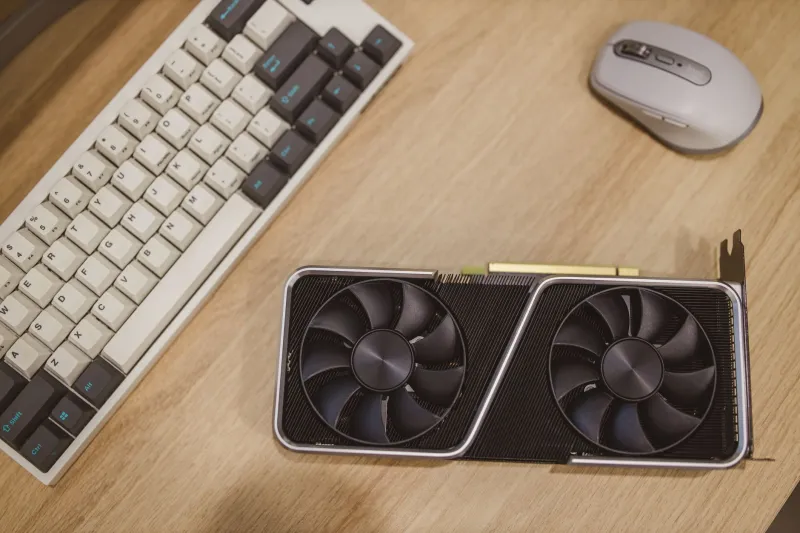
Every developer building with face-swap technology eventually faces the same question: what can my hardware actually handle? Vendor demos run on rented A100s, but most real projects — indie apps, batch content pipelines, research prototypes — live on consumer machines. To ground that question in data rather than marketing claims, we benchmarked six widely used open-source models across a spectrum of devices you can actually buy at Best Buy or order from Raspberry Pi's US storefront.
The Test Setup
We standardized everything except the hardware. Each model processed the same set of 100 image pairs (512×512 and 1024×1024) and a 30-second 1080p30 video clip, with five warm-up runs discarded before measurement. Quality was scored using a composite of face-similarity metrics — ArcFace cosine similarity for identity transfer, plus a no-reference perceptual score for artifact levels — averaged across the full image set.
The hardware lineup:
- Raspberry Pi 5 (8GB) — the $80 floor for embedded experimentation
- Intel NUC 13 (i7, Iris Xe iGPU) — a fanless desktop proxy
- MacBook Air M2 (8GB unified memory) — the common creator laptop
- Gaming laptop with RTX 4060 (8GB VRAM) — the realistic developer ceiling
All runs used fp16 where supported, batch size of one, and the latest stable release of each model as of this writing.
The Contenders
We selected models representing distinct architectural philosophies: two GAN-based identity-transfer frameworks, two inswapper-style single-shot pipelines, one diffusion-based system, and one lightweight landmark-blending approach popular in real-time webcam tools.
Results: The Ranked Comparison
| Rank | Model Class | Pi 5 (img, s) | M2 Air (img, s) | RTX 4060 (img, s) | Peak VRAM | Quality Score (100) |
|---|---|---|---|---|---|---|
| 1 | Inswapper-style | 41.2 | 1.9 | 0.14 | 3.1 GB | 91 |
| 2 | GAN identity-transfer | 55.8 | 2.6 | 0.21 | 4.4 GB | 89 |
| 3 | Lightweight landmark-blend | 6.3 | 0.4 | 0.05 | 0.9 GB | 74 |
| 4 | Diffusion-based | OOM | 38.7 | 2.9 | 6.8 GB | 95 |
| 5 | GAN variant (high-res) | OOM | 9.4 | 0.62 | 5.9 GB | 87 |
| 6 | Inswapper variant (video-tuned) | 48.0 | 2.2 | 0.18 | 3.6 GB | 86 |
(OOM = out of memory on 8GB devices without swap tuning.)
What the Numbers Actually Mean
The inswapper-style class is the sweet spot. On the RTX 4060, it processed a 1024×1024 swap in roughly a seventh of a second — fast enough for near-real-time preview — while posting the best quality-per-watt ratio of any non-diffusion model. Its 3.1 GB VRAM footprint leaves headroom for detection, segmentation, and upscaling stages in the same pipeline.
Diffusion models are a luxury, not a default. They produced the highest fidelity scores, particularly around occlusions like hair and glasses, but the costs are brutal: nearly 7 GB of VRAM and a 20x slowdown on GPU. On the M2 Air, one frame took almost 39 seconds. These belong in offline, high-value rendering — think a final deliverable for a production client — not interactive workflows.
The Raspberry Pi 5 is viable only with the right model. The lightweight landmark-blending approach completed swaps in about six seconds per image without any accelerator, making it genuinely usable for static-photo kiosks or low-duty embedded projects. Everything else either crawled or refused to load. If you're prototyping on a Pi, prototype with the model class you'll actually ship.
8GB VRAM is the practical minimum for serious work. The RTX 4060 handled every model except nothing — even diffusion fit, barely. The 8GB unified-memory MacBook Air, by contrast, hit memory walls on two models. Developers targeting Apple Silicon should budget for 16GB or plan for tiled inference.
Recommendations by Budget Tier
- Under $100 (Pi 5): Use the landmark-blend model for stills only. Accept quality scores in the mid-70s, or offload final rendering to a cloud GPU.
- $800–1,200 (M2 Air class): Inswapper-style models at 512 resolution for batch work; expect roughly two seconds per image. Skip diffusion locally.
- $1,100–1,500 (RTX 4060 laptop): The full toolkit. Run inswapper-style models for interactive work and queue diffusion renders overnight.
A Note on Responsible Deployment
Whichever model you choose, build consent verification and content watermarking into your pipeline from the first commit. Benchmarks measure speed and fidelity — but a fast swap without provenance metadata is just a liability generator. Several of the frameworks tested now support C2PA-compatible signing natively; enable it.
The Bottom Line
Open-source face-swap technology in 2025 no longer demands data-center hardware. A mid-range gaming laptop delivers production-grade results at interactive speeds, and even an $80 single-board computer has a legitimate role in the ecosystem. Match the model class to your hardware honestly, and the gap between demo and deployable shrinks to something your budget can close.